Pro guide · from the Reel
Make a phone game with Claude Code: one free prompt, or five with the kit
One prompt in Claude Code makes a phone game. Paste the free prompt in step 1, open the file on your phone, play. Ours took five minutes. The kit goes further: five prompts, and you get levels that get harder, sound, a home-screen icon and a link to share. Our last run of the finished kit made Rain Rider in 21 minutes 17 seconds.
- Plays in the phone's browser
- Levels, sound, share link
- Free tools, your Claude plan
Step 1 is free on this page. Steps 2 to 10 and the kit are in the pro guide.
Published · Updated
Start building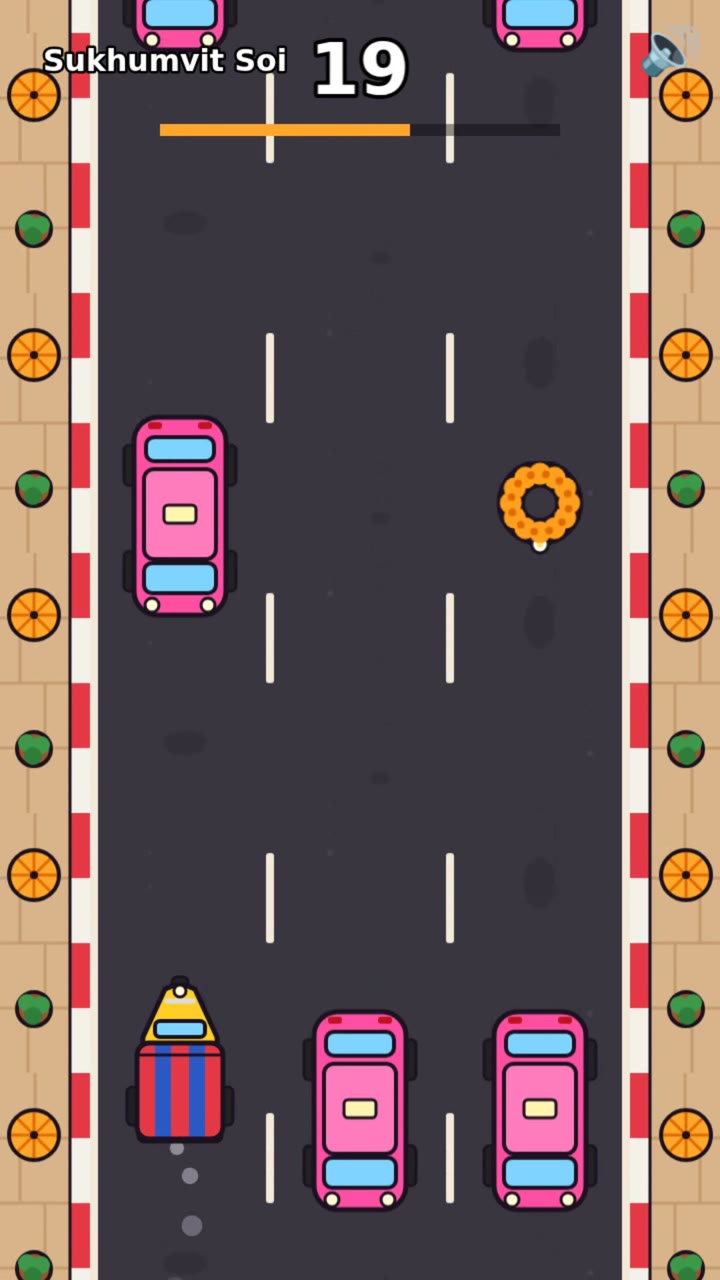
The video at the top shows Tuk-Tuk Rush going from the typed sentence to the last level (1 min 10 s, no sound). A script plays it, tapping the left and right side of the screen the way your thumb would. It crashes once on level 2. We left that in.
We played these on emulated phones, not real ones. Try yours on your phone before you share it.
What you need
- Claude Code, on a paid Claude plan (what we used) or an Anthropic Console account billed per use.
- A phone and a computer on the same Wi-Fi.
- For step 1: Python 3, only to serve the file to your phone.
- For the kit: Node.js 20 or newer, and about 700 MB of disk for Playwright's test browser (about 300 MB more if you add WebKit in step 6).
The steps
Step 1: Make a one-file game (free)
No Claude Code yet? Install it with the instructions at claude.com/claude-code, then open a terminal, type claude and sign in. You do that once.
Make an empty folder, open a terminal in it and type claude. Paste this, with your own idea in place of the tuk-tuk:
Make me a one-screen game for my phone, as a single file called index.html: a tuk-tuk drives along a Bangkok street and jumps over potholes and street dogs. Tap anywhere to jump, one point for each thing you clear, and tap to play again after a crash. No libraries and no image files.
Claude wrote one 24 KB file in 4 minutes 58 seconds. Everything in it is drawn in code: shophouses with Thai signs, power lines, a khlong along the bottom, potholes, dogs that walk toward you and sleeping dogs that are easy to clear. It also put in sounds, a best score that stays on the phone and a short buzz on Android when you crash. The prompt asked for none of those three.
To open it on your phone, serve the folder from your computer:
python3 -m http.server 8000
On the phone, open http:// plus your computer's local address and :8000, for example http://192.168.1.20:8000. The local address is in your computer's Wi-Fi or network settings and usually starts with 192.168 or 10. On Windows, type py in place of python3: py -m http.server 8000. Ctrl+C stops the server. While it runs, anyone on the same Wi-Fi can open the game, so do this at home, not in a cafe.
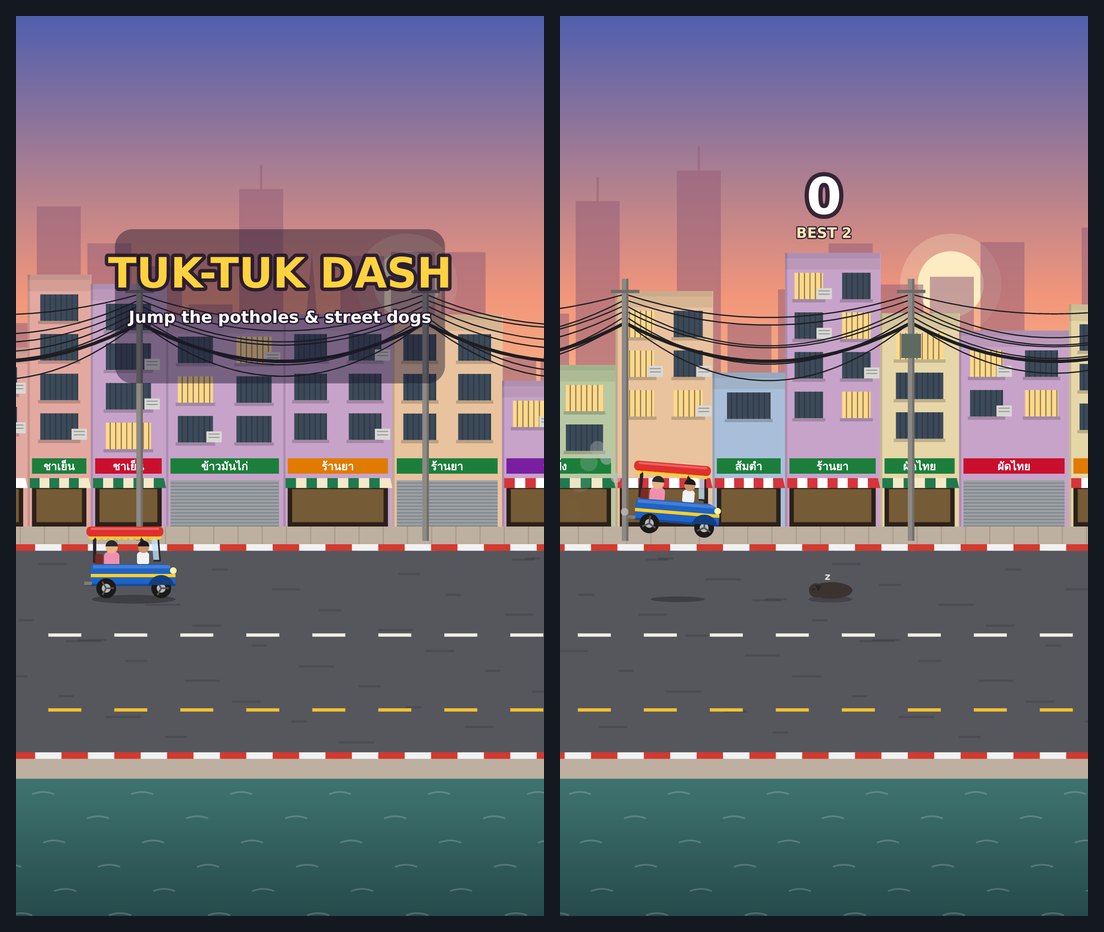
That's a complete game. The rest of this page builds a bigger one with the kit, and the download is in the unlock box.
What the kit adds
The kit starts you from a Phaser game made for one thumb on a portrait phone: tap the left or right half of the screen to change lane. Levels are rows of text in one file, so "t.*" is a taxi, an empty lane and a garland. The menu, scoring, result card, sounds and icon are done already, which leaves Claude free to spend its time on your game.
Four of the five prompts are skills. /game-design-doc turns your sentence into a one-page plan. /level-builder writes levels that get harder. /playtest uses Playwright to play every level on an emulated phone, then Claude looks at the screenshots. /polish adds the small touches and gets the icon, title and link preview ready. Our three finished games are in there too, to play or take apart, plus 5 one-sentence game ideas (three of them became these games), with notes on what each one changes.
Three moments from the tuk-tuk build, and the free one-file game:
The two ideas we like most are borrowed. In an Ask HN thread about building a tiny game with an 11-year-old, the poster found Godot too heavy, and the replies said plain HTML and JavaScript, emojis for art, and "You have Claude Code. Use it". A Phaser and Claude Code tutorial has Claude interview you for a spec before it builds, and the godogen skills for Godot check the game by looking at screenshots of it. That's where /game-design-doc and /playtest come from.
The pro guide
Get the rest of the steps and the kit.
$12, one payment. No account, no subscription. Launch price as of November 2026; it goes to $29 after the first 300 sales.
What is in the kit
- A Phaser starter for portrait phone games: tap left or right to steer, levels written as rows of text, score and best score, sound with a mute button, a share button, a home-screen icon and offline play
- Four Claude skills (SKILL.md): game-design-doc, level-builder, playtest and polish
- A playtest tool that checks the level timing, plays every level with touch taps on an emulated phone and saves screenshots
- Three finished example games from our tests, Tuk-Tuk Rush, Penguin Slide and Rain Rider, with their design docs and all their files
- 33 sprites drawn in code (SVG) and 8 sounds made by a script, no samples or stock files
- 5 example game ideas, each with what it changes in the starter
- The free one-file prompt and the five kit prompts, ready to paste
- README with every step, and LICENSES.md
After you pay
- Stripe takes the payment. You come straight back to this page with every step open.
- The kit download button appears in this box.
- We email you a private link, so you can open the guide on another device. Anyone with the link can read it, so keep it to yourself.
Not useful? Contact us with your checkout email and ask for a refund. A refunded payment loses access.
Lost your link?
Enter the email you used for access. Your existing links keep working.
In the pro guide
Step 2: Set up the kit
Step 3: Describe your game in one sentence
Step 4: Build it
Step 5: Make the levels fair
Step 6: Playtest
Step 7: Polish
Step 8: Play it on your phone
Step 9: Change it in plain words
Step 10: Share a link and add it to the home screen
Questions people ask
Do I need to know how to code?
No. You type sentences into Claude Code and run a few commands that the guide gives you word for word. You do need to open a terminal and copy a folder. If you want to change a speed or a level by hand, the files are short and have notes in plain English.
Does it work on iPhone and Android?
The games run in the phone's browser, so there is nothing to install from an app store. We played them on emulated Android and iPhone screens: Chromium on a Pixel 7 screen size and WebKit, the engine Safari uses, on an iPhone 13 screen size.
Can I put the game in the App Store or Google Play?
Not with this guide. The game is a web page. People open your link and can add it to their home screen, where it gets its own icon; the kit's manifest asks the phone to open it full screen, without the browser bar. Publishing to the app stores needs a wrapper app and a developer account, which we did not cover.
Can I share or sell a game I make with the kit?
Yes. The sprites, sounds and starter were made in code for the kit, and you may use them in your own games, free or paid. Phaser, the game engine, is MIT licensed: keep its licence file (lib/PHASER-LICENSE.md) with your game. GitHub Pages is fine for sharing a game, but GitHub says Pages is not meant for running an online business.
What does it cost to run?
Phaser, Node.js, Playwright and Python are free. Claude Code needs a paid Claude plan or an Anthropic Console account. At API prices, Claude Code reported $0.96 for our one-file game, $2.46 for the five prompts of Tuk-Tuk Rush and $2.66 for Rain Rider, our full run of the final kit. On a Claude plan it comes out of your usage instead.