Pro guide · from the Reel
Edit raw footage with Claude Code: cut the dead air, add captions, get a Reel and three Shorts
With this guide's kit, you give Claude Code a raw talking video and type one request. It cuts the dead air, finds the three best moments, crops each one to 9:16 around the speaker, burns in captions and exports a Reel and three Shorts. Whisper and ffmpeg run on your own computer, so the video file stays there. Like any Claude Code session, what Claude reads goes to Claude: your requests, the tool output, the transcript text and the frames it opens to check its work. There is no paid API on top of the Claude plan that Claude Code needs. On our test server, the whole run took 17.5 minutes for a 3-minute interview. The free step below needs no kit: three plain requests give you one captioned clip with the pauses cut out.
- Captions with local whisper
- Dead air cut in one request
- No paid add-ons
Step 1 is free on this page. Steps 2 to 5 and the kit are in the pro guide.
Published · Updated
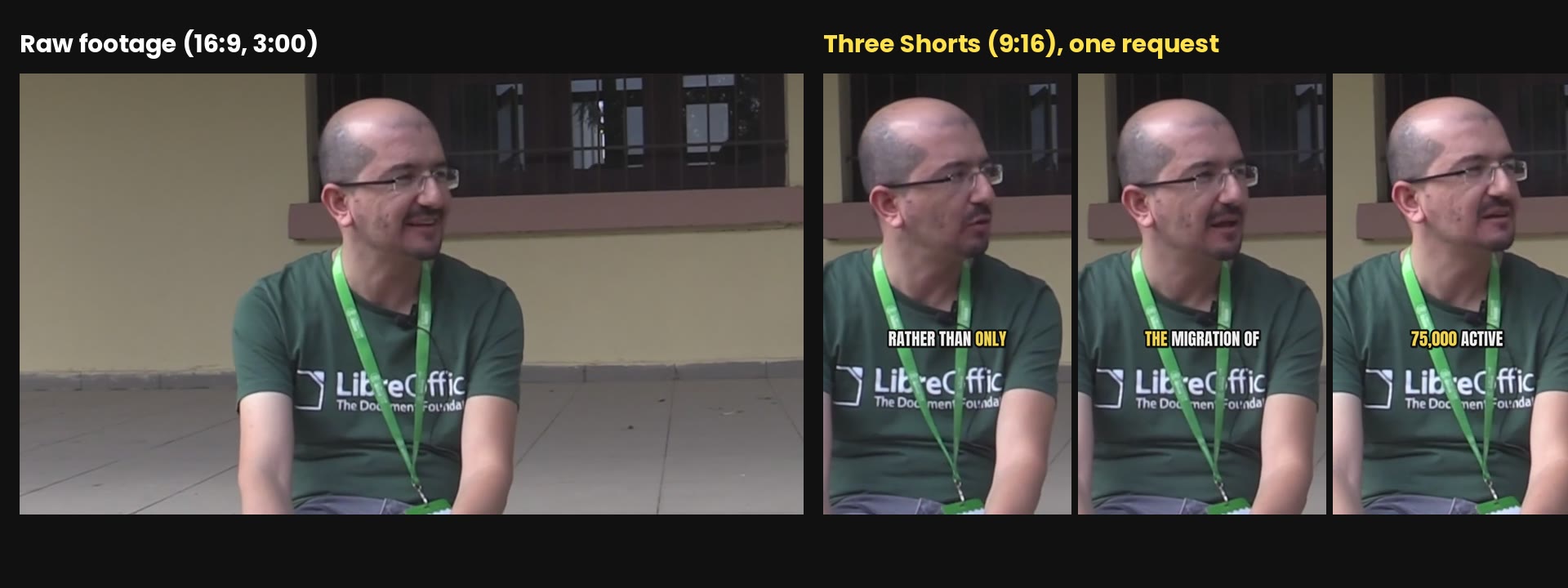
Start buildingHere is what came out of that one request. On the left is a frame of the raw interview; on the right, the three Shorts:
| File | Length | What it is |
|---|---|---|
| Reel | 2:41 | The whole interview with the dead air cut, 9:16, captions, music under the voice |
| Short 1 | 0:56 | "At the source, rather than only localizing the distro…" |
| Short 2 | 0:24 | "The one I most like is the migration of the Ministry of Justice." |
| Short 3 | 1:01 | "They are using it on about 100,000 computers with 75,000 active users…" |
The footage is a public interview with Muhammet Kara of the LibreOffice community, which its makers released under CC BY 3.0. It has pauses, restarts, an off-camera question and background noise, the same problems as a clip you'd film on your phone.
What you need
- Claude Code, with a paid Claude plan (what we used) or an Anthropic Console account. Install it with the one-line installer on that page, then run
claudeonce in a terminal and log in. - FFmpeg. On a Mac:
brew install ffmpeg. On Ubuntu:sudo apt install ffmpeg. It needs libass to burn in captions; the Homebrew and Ubuntu builds have it. - Python 3.9 to 3.13. Python 3.14 does not work with this kit yet: the kit asks for an older
avpackage (newer ones broke faster-whisper 1.2.1 in our install), and that older version has no build for 3.14. - About 1 GB of free disk for the Python packages and the whisper model.
- A talking video, ideally one person facing the camera. If you'd like to use our clip for the free step, it's on Wikimedia Commons; we used 3:06 to 6:06.
We ran everything on a Linux server with 8 CPU cores and no graphics card. The commands are for a macOS or Linux terminal. We didn't test macOS or Windows; on Windows, the way to run them is inside WSL (Windows Subsystem for Linux).
The steps
Step 1: caption one clip and cut its dead air
free
Make an empty folder, put your video in it as clip.mp4 (if your file is a .mov or .webm, keep its name and type that name instead of clip.mp4), open a terminal there and start Claude Code with claude. Then type these three requests, one at a time.
First, the tools:
I want to caption my videos with whisper running on this computer. Check that ffmpeg is installed and install faster-whisper 1.2.1 with av below version 15 in a Python virtual environment in this folder. Then tell me what you installed.
Claude found ffmpeg 6.1.1 and installed faster-whisper 1.2.1 in a .venv folder, in 35 seconds. It also said the whisper model downloads once from Hugging Face the first time you use it, and works offline after that. The Python packages all go in .venv; the whisper model goes in the Hugging Face cache in your home folder (~/.cache/huggingface).
Next, the dead air:
Cut the dead air out of clip.mp4: remove every pause longer than half a second, but keep the speech natural. Save it as clip-tight.mp4 and tell me how much shorter it got.
Our clip went from 3:00 to 2:27. Claude found 36 pauses over half a second and shortened each one to about a quarter second. It noticed that a volume-based silence finder only caught 2 of them, because the background noise in this recording is nearly as loud as the speech, so it switched to the speech detector that comes with faster-whisper. This took about 4 minutes.
Then the captions:
Caption clip-tight.mp4 with whisper: make clip-tight.srt and burn the captions into clip-captioned.mp4. Big white text with a dark outline, low in the frame, max two short lines. Tell me how long the transcription took.
Transcribing the 2:27 clip took 45.5 seconds on the CPU. Claude made 40 captions of up to two lines, fixed "Pardus, GNU, Linux" to "Pardus GNU/Linux" and two numbers that came out as "100.000" and "75 .000", and burned them in:
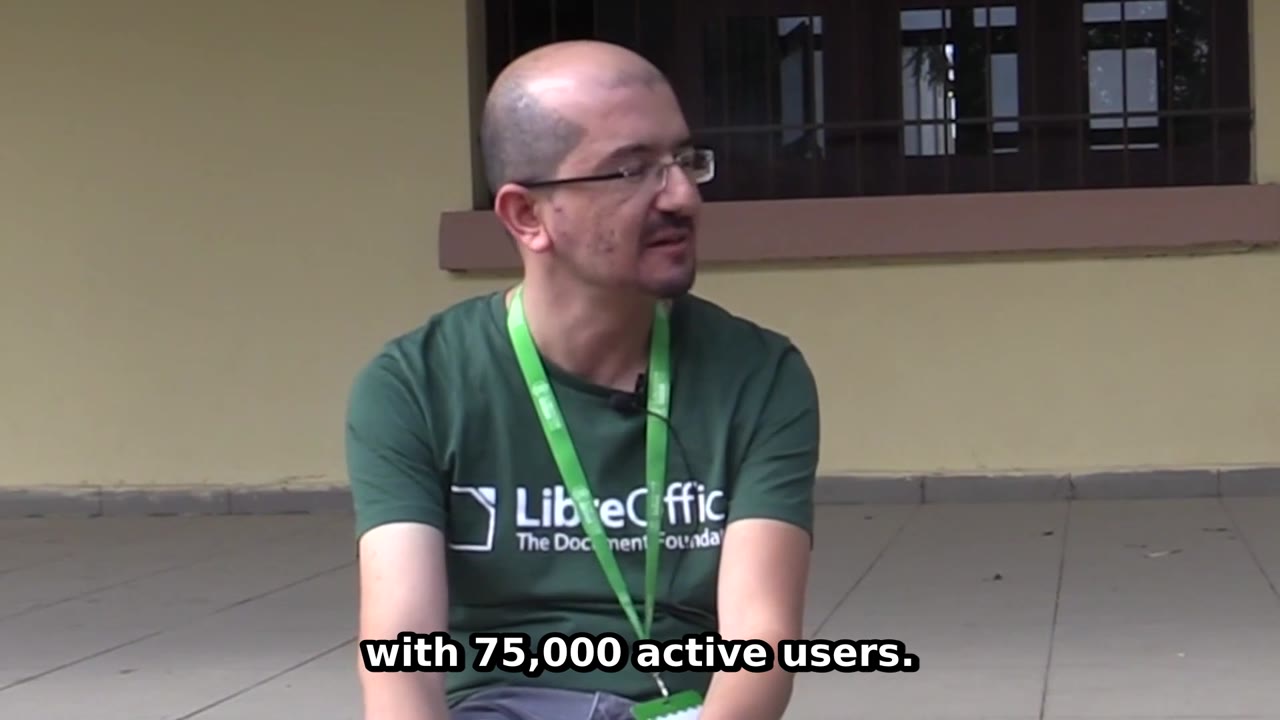
You now have a captioned clip with the pauses taken out. If Claude reports an error about av or metadata_errors along the way, see "If something looks off" at the end; we hit it in this step.
The kit does the rest: it picks the best moments, centres a 9:16 crop on the speaker's face, gives you four caption styles and a music bed, and exports for each platform. The download link is in the unlock box on this page.
The pro guide
Get the rest of the steps and the kit.
$12, one payment. No account, no subscription. Launch price as of November 2026; it goes to $29 after the first 300 sales.
What is in the kit
- 7 Claude Code skills: captions, silence-cut, cut, reframe-9x16, best-moments, caption-style, export
- The Python tools the skills run: transcribe, silence cut, cut by time or by phrase, 9:16 crop centred on the face, captions, export presets, contact sheets
- 4 caption styles (bold-pop, clean, boxed, karaoke) with the Anton and Poppins fonts under the Open Font License
- A music bed generator in three moods, every note made by code, ducked under the voice on export
- Export presets for Reels, Shorts, TikTok, square posts and YouTube, all at -14 LUFS
- A 3-minute CC BY interview to practise on, with the credit line to use
- install.sh, a CLAUDE.md for the project folder, a README, the prompts we typed and LICENSES.md
After you pay
- Stripe takes the payment. You come straight back to this page with every step open.
- The kit download button appears in this box.
- We email you a private link, so you can open the guide on another device. Anyone with the link can read it, so keep it to yourself.
Not useful? Contact us with your checkout email and ask for a refund. A refunded payment loses access.
Lost your link?
Enter the email you used for access. Your existing links keep working.
In the pro guide
Step 2: Install the kit
Step 3: Add your footage
Step 4: Ask for the Reel and the Shorts
Step 5: Check, change, export
Questions people ask
Do I need a graphics card?
No. We ran everything on a server with 8 CPU cores and no graphics card. The small whisper model transcribed 3 minutes of speech in 44 to 48 seconds and 30 minutes in 9 minutes 18 seconds, while other jobs were running on the same machine. We didn't test a laptop; with fewer cores, expect it to take longer.
Does my video get uploaded anywhere?
The video file stays on your computer: whisper and ffmpeg run locally, and the kit's tools download only the software and the whisper models, once. Claude Code works like any Claude Code session, so what Claude reads goes to Claude: your requests, the transcript text and the contact-sheet frames it opens to check the result.
Can it caption languages other than English?
Whisper detects the language when you leave out --language, and it supports about 100 languages. We only tested English. For accents or names the small model gets wrong, the kit can switch to the larger large-v3-turbo model.
What does it cost to run?
The tools are free and open source: faster-whisper (MIT), the whisper models (MIT), ffmpeg, OpenCV (Apache 2.0) and Python. Claude Code needs a Claude subscription, which is what we used, or an Anthropic Console account. At API prices, Claude Code reported $1.44 for the three free-part requests and $0.56 for the one-request Reel and Shorts run; on a subscription it comes out of your plan's usage.
Can I use the practice clip in my own posts?
Yes, with credit. It is an excerpt of an interview by LibreOffice - The Document Foundation under CC BY 3.0. The credit line is in the kit's LICENSES.md.