Free guide · from the Reel
Get better designs and tested features from Claude Code.
Install three free plugins with one command each. Then Claude Code can give your page a proper design, ask questions and write tests before it finishes a feature, and check its work in a browser. We tried 6 popular plugins from Anthropic's official marketplace on one small app, and these are the 3 we kept.
- Seconds to install each
- 8 steps
- Free plugins
Published · Updated
Start buildingWhat it does
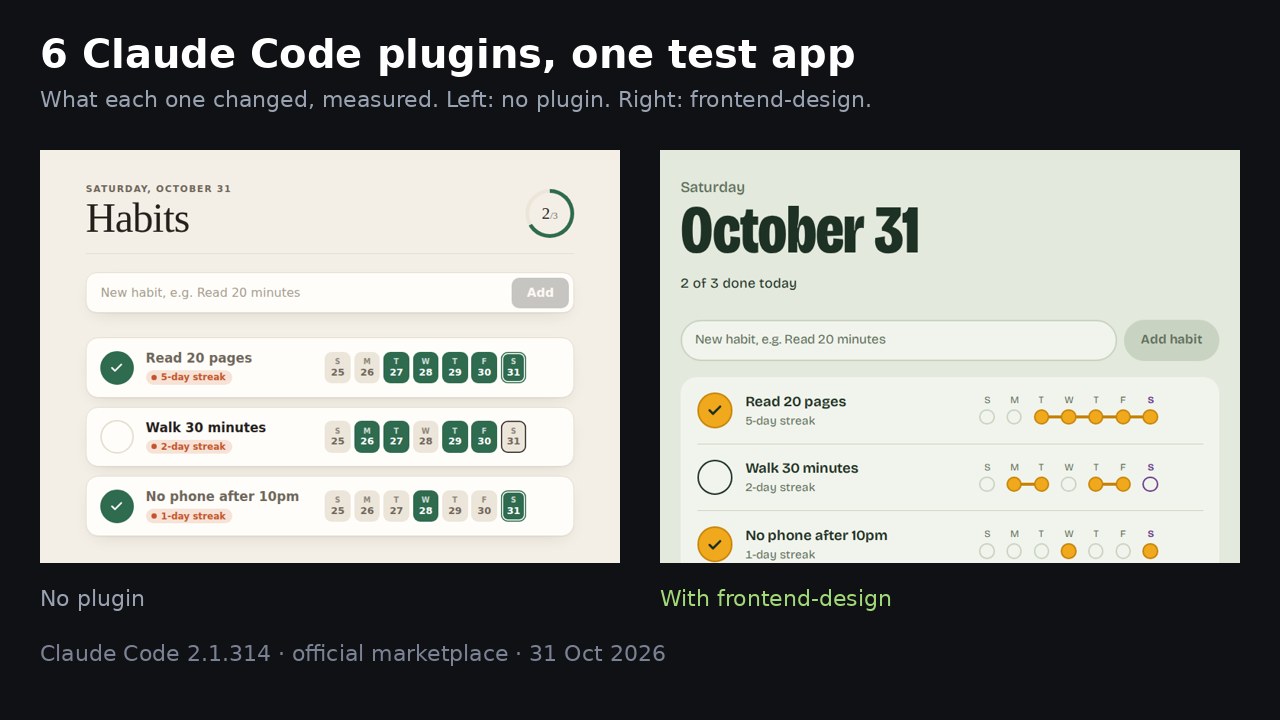
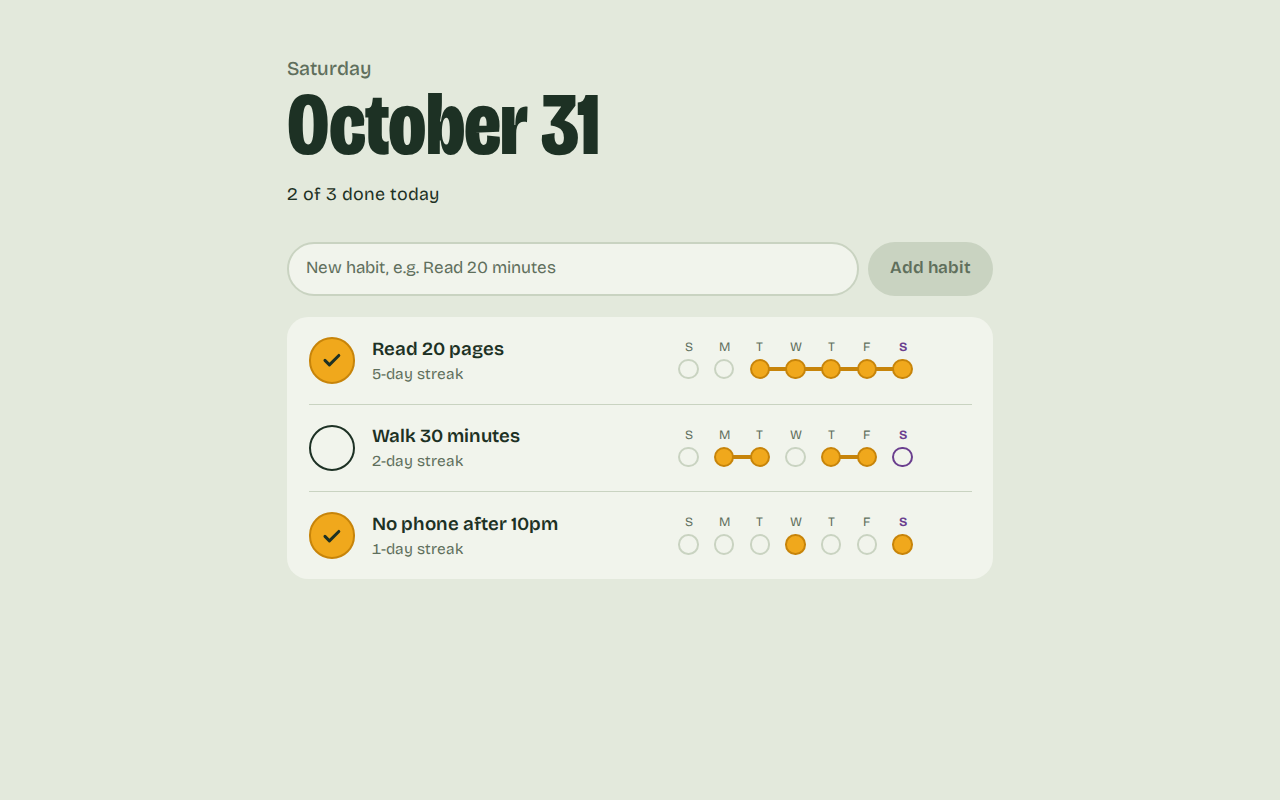
We had Claude Code build a small habit tracker, then asked it for a better design, once without plugins and once with frontend-design. With the plugin, Claude built the page around "don't break the chain": each day is a bead, and done days in a row join into one bar.
What you need
- Claude Code: use it in the terminal, where the install commands below run. It needs a paid Claude plan or API billing. Setup guide.
- Node.js: Playwright needs it. Get it here.
- A project to try them on: any app works. Ours was a habit tracker Claude wrote from one prompt.
The steps
Step 1: Add the official marketplace
Do the steps in order. Steps 1 to 5 are one-time setup.
A marketplace is the catalogue Claude Code installs plugins from. Anthropic's docs say the official one is added the first time you open Claude Code in a terminal, but our fresh setup didn't have it. Check your list:
claude plugin marketplace list
If claude-plugins-official isn't there, add it:
claude plugin marketplace add anthropics/claude-plugins-official
Step 2: Install frontend-design
frontend-design adds a design skill. Claude loads it before it styles a page.
claude plugin install frontend-design@claude-plugins-official
Step 3: Install superpowers
superpowers makes Claude ask questions before building a feature, then write tests for it. It's slower and uses more of your plan, so save it for features you want tests for.
claude plugin install superpowers@claude-plugins-official
Step 4: Install playwright
With playwright, Claude can open your page in a browser and look at it.
claude plugin install playwright@claude-plugins-official
Tip: plugins install for you in every project. Add --scope project to save one in the repository's .claude/settings.json instead. Once you commit that file, each collaborator runs claude plugin install <name>@claude-plugins-official --scope project once on their own machine.
Step 5: Restart and check
Close Claude Code and start it again so the plugins load. To see what a plugin added, run:
claude plugin details superpowers@claude-plugins-official
It lists the plugin's skills, hooks and servers, and the tokens it adds to every session.
Step 6: Ask for a new design
Type what you want the way you'd say it. You don't need to name the plugin. This is the prompt we used on the habit tracker:
The habit tracker looks plain. Give it a proper design.
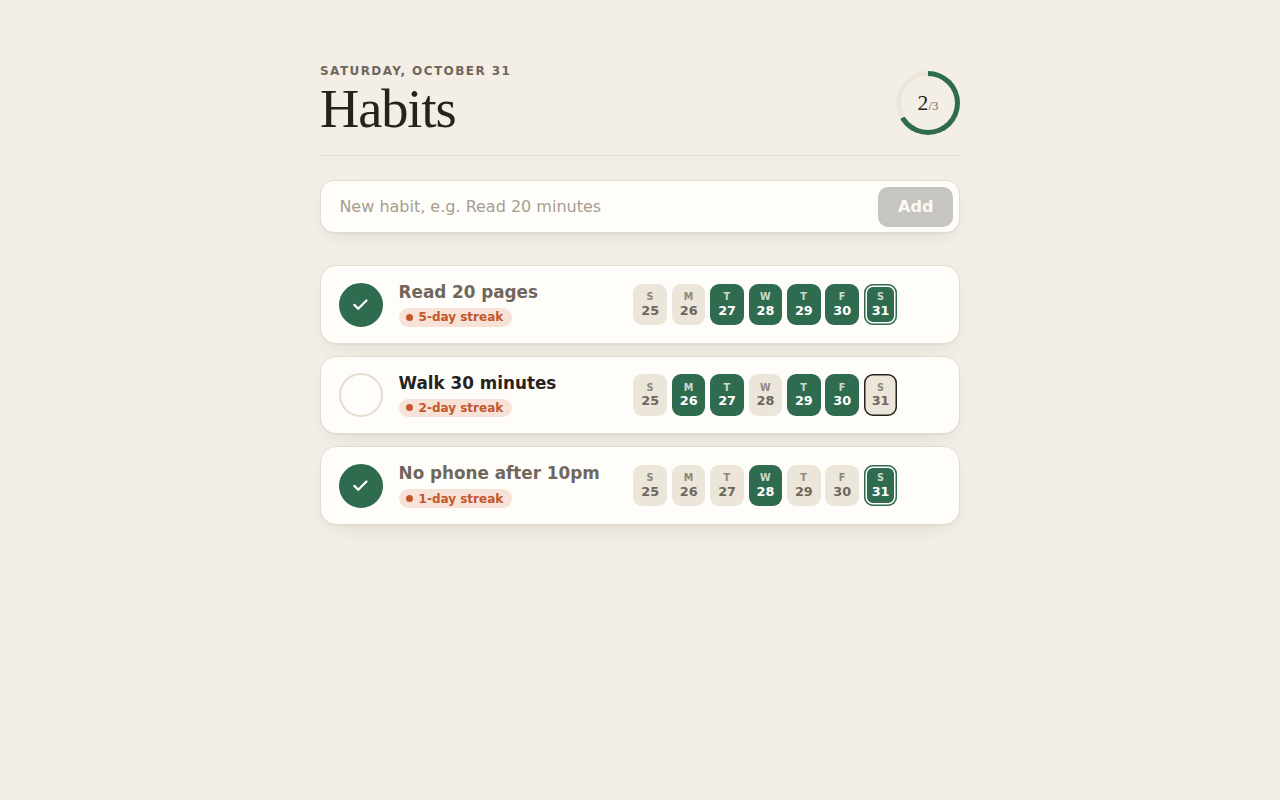
Without the plugin, Claude made a tidy "paper journal" look with system fonts and a progress ring. With frontend-design, it loaded the plugin's design skill first, turned the week into a chain of beads and pulled in the Bricolage Grotesque font from Google Fonts.
Step 7: Add a feature and answer its questions
Ask for a feature in plain words. Ours:
Add a weekly goal to each habit, like 5 out of 7 days, and show how close I am.
With superpowers on, Claude may stop and ask you questions first. Answer them in plain words. Ours asked what "how close I am" should mean partway through a week. We answered:
Both: show 3 of 5 done, and how many more I need in the days left this week.
It asked which day the week starts on. We answered:
Monday. Existing habits start at 7. Looks good, go ahead and build it.
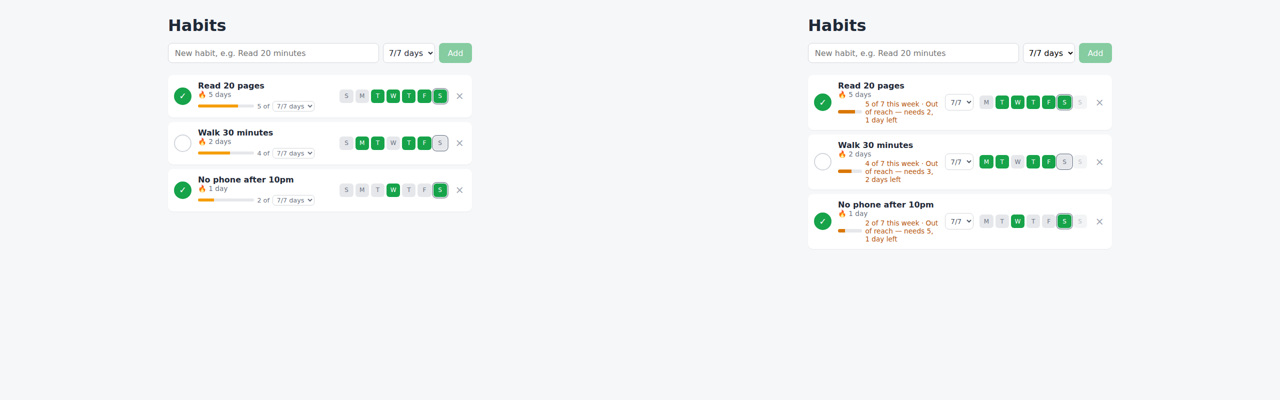
Then it added Vitest, wrote 15 tests, and all of them pass. It opened the app in a headless browser, saw a squashed progress bar and fixed it. Each row now reads like 3 of 5 this week · 2 more in 3 days left, and says so when the goal is out of reach.
Step 8: Have Claude check the page in a browser
Ask for a change and tell Claude to check it. Ours:
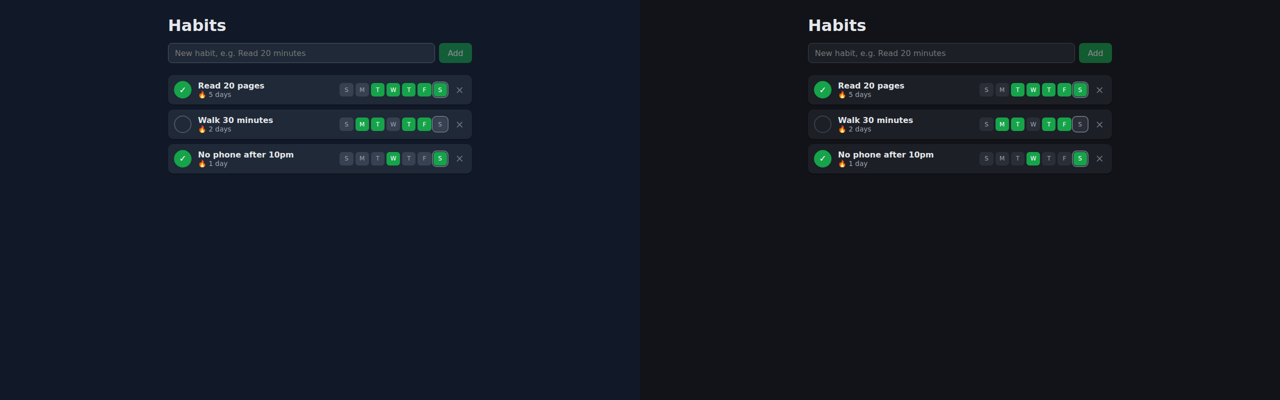
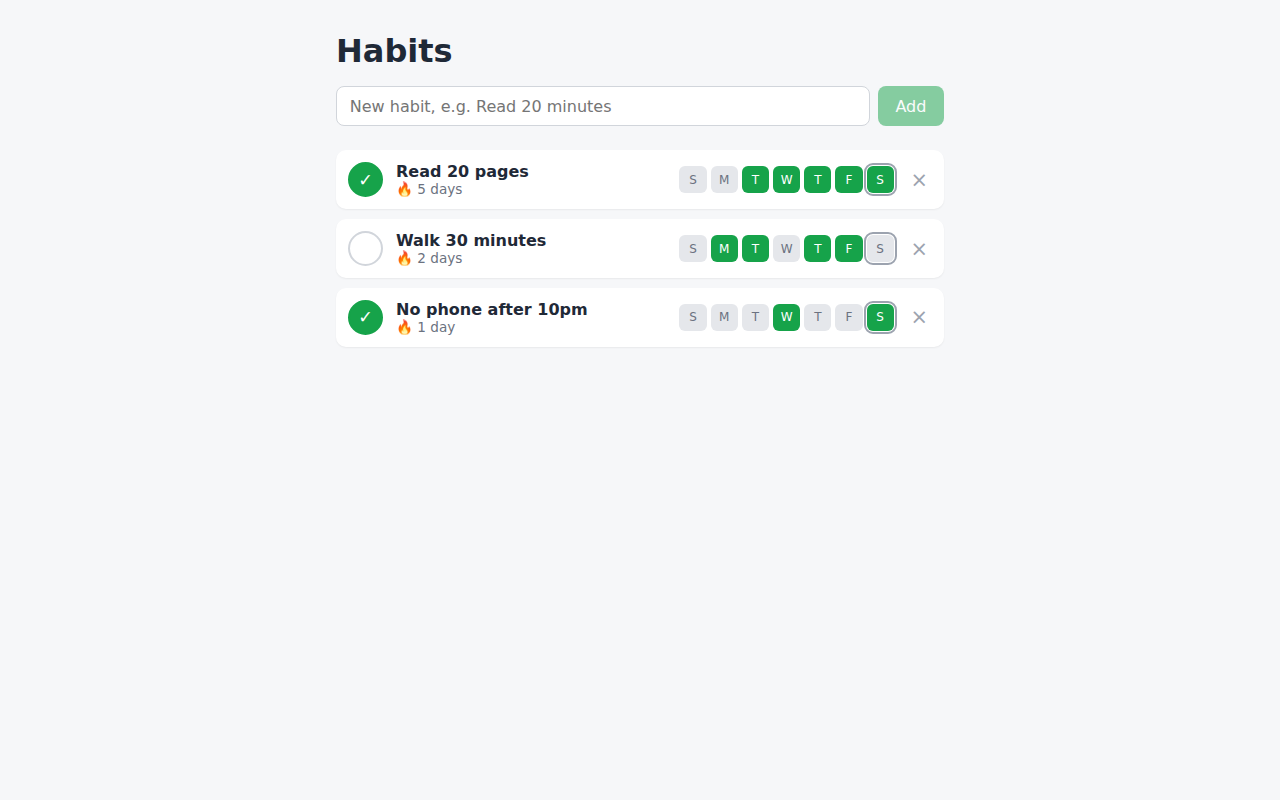
Add a dark mode that follows the system setting. Check it looks right.
Claude used the plugin to switch the browser to dark mode, took screenshots and added a tag that stops a white flash when the page loads on a dark system. The dark mode itself came out much the same without the plugin: on our server the plain run took its own screenshots with Playwright for Python. The white-flash fix was the difference we saw. If it says Chrome is not found, see "If something looks off".
Ask for changes in normal words
You don't need to name the plugins. Ask like this:
The [page or screen] looks plain. Give it a proper design.
Add [feature] to [part of the app], and show me how it works.
Open the page in the browser and check it looks right on a phone-sized screen.
Make the design calmer: fewer colours and more space between items.
See what a plugin adds
Plugins can run code on your computer with your user permissions (Anthropic's note), and official ones update themselves. To list a plugin's parts without installing it, point Claude Code at the copy of the marketplace it has already downloaded. This still loads the plugin for that one command, so only do it for a plugin you'd be comfortable running. To read it without loading anything, open its folder in that marketplace copy, or its source on GitHub (linked under Credits).
claude --plugin-dir ~/.claude/plugins/marketplaces/claude-plugins-official/plugins/security-guidance plugin details security-guidance
For security-guidance, that showed 4 hooks: SessionStart, UserPromptSubmit, PostToolUse and Stop.
Remove a plugin
Run this with the plugin's name:
claude plugin uninstall context7@claude-plugins-official
If something looks off
It can't find the marketplace
Run claude plugin marketplace add anthropics/claude-plugins-official first, then install again.
Playwright says Chrome is not found
If Playwright cannot find Chrome, run the commands below in your project folder, then restart Claude Code from that terminal. They install a browser and select headless mode. This workaround worked in our Linux setup; if it fails on your machine, paste the exact error into Claude and ask it to check the installed Playwright version.
export PLAYWRIGHT_BROWSERS_PATH="$PWD/browsers"
npx @playwright/mcp@latest install-browser chrome-for-testing
export PLAYWRIGHT_MCP_BROWSER=chromium PLAYWRIGHT_MCP_HEADLESS=true
claude
Plugins I never installed show up
claude plugin list shows them under "Synced from claude.ai". They come from your claude.ai account. To switch them off, add "syncClaudeAiPlugins": false to Claude Code's settings.json.
Credits
- Claude Code 2.1.314 by Anthropic, model claude-opus-5-5: not open source, needs a Claude plan or API billing.
- frontend-design, security-guidance and typescript-lsp: anthropics/claude-plugins-official, Apache-2.0, a licence file in each plugin's folder.
- playwright: runs @playwright/mcp by Microsoft, Apache-2.0.
- superpowers by Jesse Vincent, MIT.
- context7 by Upstash, MIT.
- The test app used React and Vite (both MIT) and, in the frontend-design run, the Bricolage Grotesque font from Google Fonts (SIL Open Font License).
- Demo images: Playwright for Python 1.62.0 (Apache-2.0), FFmpeg 6.1.1 (LGPL/GPL) and DejaVu fonts.
How we tested
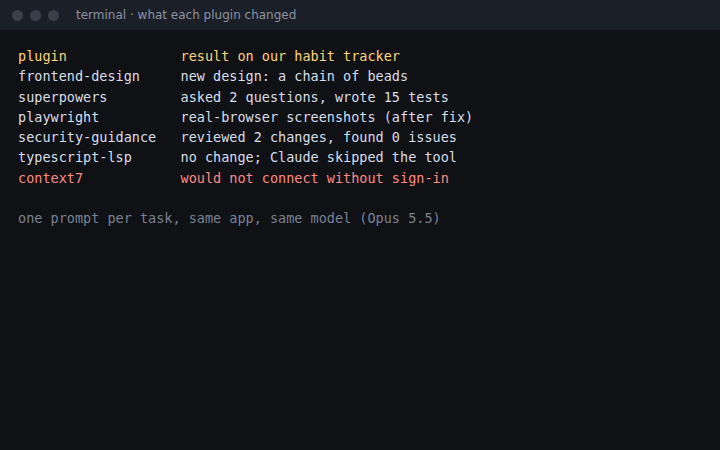
We compared six plugins on fresh copies of one small habit tracker. We kept frontend-design, superpowers and playwright for the changes shown here. Security-guidance and typescript-lsp made no visible change on this app; Context7 could not connect. These were individual runs, not a general ranking.
We picked the six because they sit near the top of the official install counts on claude.com/marketplace and come up often on r/ClaudeAI, for example in a list post and a question thread. Claude Code built the tracker from the prompt below, then got each task twice on a fresh copy: once with only that plugin on, once with every plugin off. The Chrome workaround above was tested on Linux on 31 Oct 2026 with @playwright/mcp 0.0.83.
Make a small habit tracker web app in this folder with Vite, React and TypeScript. I can add habits, tick them off for today, and see a 7-day streak for each one. Save everything in localStorage. Make sure npm run build passes.
| Plugin | Without it | With it | What we found |
|---|---|---|---|
| frontend-design | 97 s, 13 turns | 105 s, 15 turns | Turned the week into a chain of beads |
| superpowers | 1 message, 67 s | 3 messages, 137 s, 15 tests | Asked first, then wrote tests |
| playwright | 47 s, 9 turns | 49 s, 18 turns, after a fix | Added a white-flash fix; both runs took screenshots |
| security-guidance | 64 s | 73 s, its review found 0 issues | No visible change to the app |
| typescript-lsp | 28 s, 5 turns | 27 s, 5 turns | No visible change |
| context7 | 34 s, 5 turns | 28 s, same result | Server refused our connection |
Questions people ask
How do I install a Claude Code plugin?
In your terminal, run claude plugin install with the plugin name and its marketplace, for example: claude plugin install frontend-design@claude-plugins-official. It takes seconds, and the plugin loads the next time you start Claude Code.
Which plugin made the biggest difference?
frontend-design and superpowers. frontend-design gave our habit tracker a clearly different design from the same one-line prompt. superpowers asked us two questions before building a feature, then wrote tests for it. That made it slower, so we save it for features we want tests for.
Will plugins use up my plan faster?
Some do. claude plugin details shows the tokens a plugin adds to every session, and superpowers adds the most of these three. Skills add more when Claude loads them. A task with superpowers also costs more, because Claude asks questions and writes tests before it finishes.
Do I need an API key or another account?
Not for these three. They need nothing beyond Claude Code, which needs a paid Claude plan or API billing.
How do I remove a plugin?
Run claude plugin uninstall with the plugin name and marketplace, plus --scope if you installed it at project or local scope.
Read it on your computer
Keep this guide for later.
We'll send you this page's link and the other free guides.